Search Engine Results SERP preview tool extension snippet search Simulator
The perfect solution for anyone looking to optimize their search engine listings. This intuitive search engine visibility tool allows you to easily create and preview your SERP title and meta description before publishing your page, helping you improve click-through rates and SEO performance and ensuring your keywords are present, but also in the correct places.
Description:
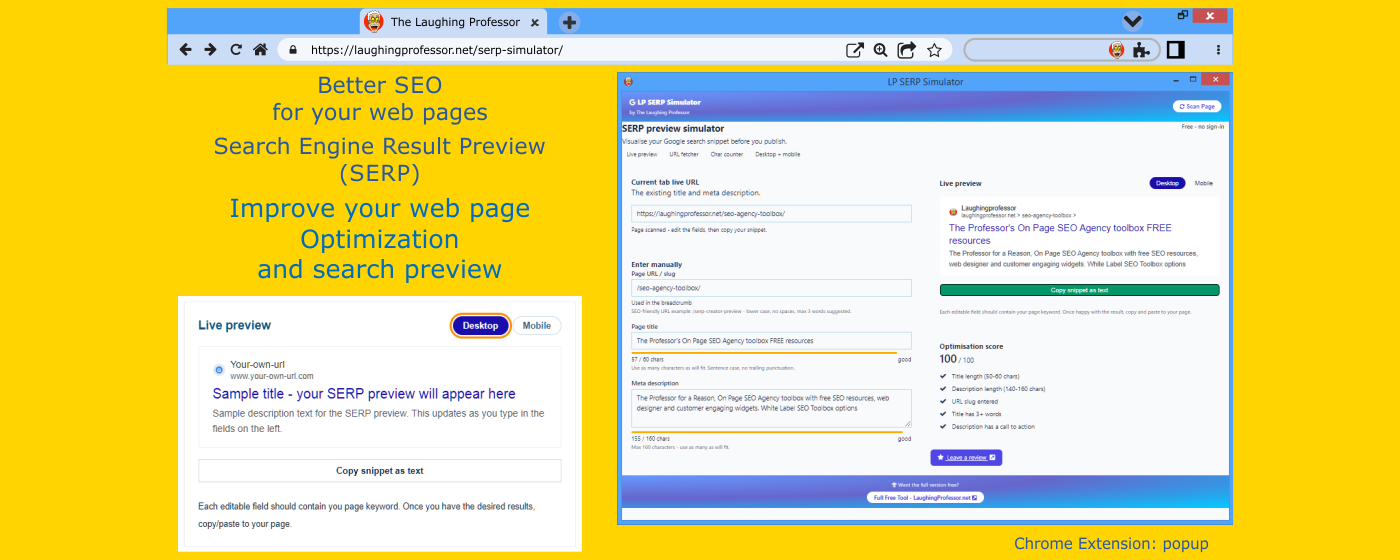
Our serp preview tool extension snippet search Simulator offers a simple way to visualize how your website will appear in search engine result pages (SERPs). You can generate a SERP title and meta description that attracts users and meets SEO best practices.
- Live SERP preview to visualize your changes in real-time.
- Manually input new titles and meta descriptions for new pages.
- Search engine results preview to see how your content will appear in search results.
- Align SERP optimization with the latest SEO standards.
- Create your SEO friendly URL
SERP preview simulator
Visualise your Google search snippet before you publish.
Fetch from a live URL
Paste any URL and we'll pull the existing title and meta description automatically.
Or enter manually
Live preview
Optimization score
Keyword match check
Phrases of two or more words that appear in both your title and description are a strong signal to search engines about your page's primary topic.







SEO best-practice tips
Key features:
How it works
There are two ways to use the simulator. Either paste a live URL into the Fetch field and the tool will retrieve the existing title and meta description from that page automatically - then you can edit them to see improvements in real time.
Or simply type manually into the title, description, and slug fields. The preview on the right mirrors exactly what Google is likely to show, including the breadcrumb URL row with a favicon placeholder.
The character bars turn amber as you approach the limit and red if you go over. The optimisation score card summarises five key checks at a glance.
Once you're happy, hit Copy snippet as text to grab the final title and description and paste them directly into your CMS or HTML <head>.
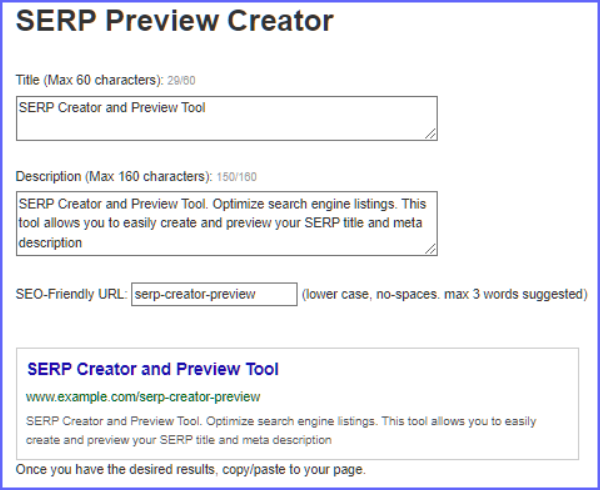
Optimize Your Listings with Our SERP Creator and Preview Tool
Ensure your SERP title and meta description are not only engaging but fully optimized for search engines.
FAQ
Can I use this tool outside the toolbox?
Yes - all tool pages are designed to work independently from any modern browser. No toolbox login required.
Does this replace a full SEO audit?
No. This tool focuses on the title and meta description elements only. For a comprehensive audit, pair it with the Web Design Report Card and other tools in the toolbox.
Is this tool free to use?
Yes, completely free. No subscription, account, or email address required.
Why can't the URL fetcher always retrieve data?
Some websites block cross-origin requests or third-party proxies. If a fetch fails, simply enter the title and description manually - you can copy them from the page source in your browser.
This tool is part of The Laughing Professor's SEO Command Center, where step-by-step guidance walks you through every stage of on-page optimization.
View More SEO Related Tools The Professor's Web Design Report Card Multi JSon Script Generator OG Meta Tag generator